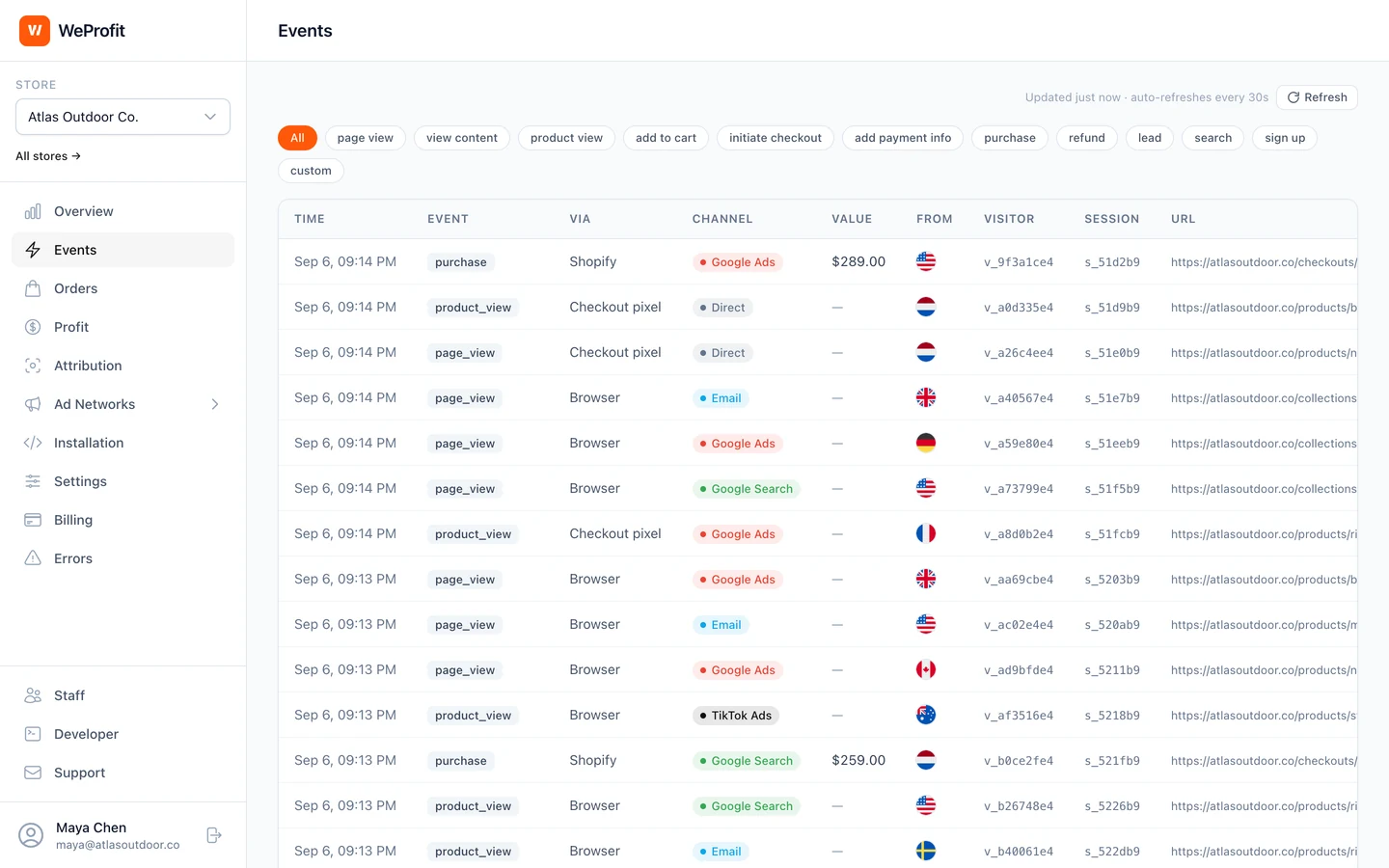
What is the TikTok Events API?
The TikTok Events API lets a server send website events straight to TikTok, next to the events the TikTok pixel sends from the shopper’s browser. For website connections, TikTok recommends using it together with the pixel. You may also see it called the TikTok Conversions API.
With WeProfit, a Shopify purchase reaches TikTok as CompletePayment, sent from WeProfit’s servers to the pixel you connect. Other store events take the same route, such as ViewContent, AddToCart and InitiateCheckout; the table further down this page lists them.
TikTok renamed CompletePayment to Purchase in May 2025. It still accepts CompletePayment, converts it on its side and shows it as Purchase in reporting, audience creation and optimization. TikTok is included in every WeProfit plan, with Meta, Google, Pinterest, Snapchat, X Ads, Microsoft (pilot), Reddit, LinkedIn and Taboola.
Connect TikTok in WeProfit
Connect your Shopify store and switch on the WeProfit app embed first, so storefront events reach WeProfit. TikTok delivery needs two values from TikTok: the Pixel ID, which TikTok also calls the pixel code, and an Events API access token. No TikTok ad account is needed for delivery; that is only for importing ad spend.
- In TikTok Ads Manager, hover over Tools and open Events Manager, then select your website pixel. Copy its Pixel ID.
- Open the pixel’s Settings tab, scroll down to Events API and click Generate Access Token. Copy the token.
- In WeProfit, open Ad Networks > TikTok and select Add destination. Enter the Pixel ID (pixel code) and the Events API access token. A label is optional and helps when you connect more than one pixel.
- Leave Conditions empty to send every eligible event, or add conditions such as country, event, order value, product, page URL or campaign to limit what this pixel receives. Then select Connect TikTok.
- To test first, open Test Events for the pixel in TikTok Events Manager, copy its test event code into the destination’s Test event code field, save, and select Send test. WeProfit shows whether TikTok accepted the test.
- While a test event code is set, every live event of that pixel goes to TikTok’s test tool and may not count for your ads. WeProfit shows Test mode on and turns the code off 24 hours after you set it; clear the code when you finish testing, and events go live again.
Which store events reach TikTok?
On Shopify, the WeProfit app embed records storefront page views, product views and add-to-carts, and WeProfit’s web pixel records the checkout steps. WeProfit sends them to TikTok from its server as it processes them. Purchases come from Shopify’s order webhook, and each order’s purchase goes at most once to each connected pixel.
Storefront events reach WeProfit through Shopify’s app proxy on your store’s own domain, so blocklists that target tracking domains usually do not stop them. That does not mean every visit is recorded.
Searches, leads, sign-ups and custom events reach TikTok only when your site sends them with WeProfit’s track call; on Shopify they are not captured automatically. A custom event goes under its own name, cut to 64 characters. Leads go as SubmitForm, which TikTok renamed Lead in May 2025 and converts the same way as CompletePayment. Refunds, remove-from-cart and shipping-step events are not sent to TikTok, and nothing withdraws a purchase TikTok already received.
Each purchase carries the order total as Shopify reports it, in the order’s currency, the products as line items with their ID, quantity, unit price and title, and the Shopify order ID. Check in TikTok Events Manager which of these events your pixel receives.
| Store event | TikTok event |
|---|---|
| Page view | Pageview |
| Product or content view | ViewContent |
| Search | Search |
| Add to cart | AddToCart |
| Checkout started | InitiateCheckout |
| Payment information added | AddPaymentInfo |
| Purchase | CompletePayment |
| Lead | SubmitForm |
| Sign up | CompleteRegistration |
Customer details sent with each event
To help TikTok match an event to a TikTok user, WeProfit sends the details the event has. For a Shopify purchase, that is the buyer’s email address and phone number from the order, hashed with SHA-256, and the IP address and user agent. When WeProfit has them, it also sends the TikTok click ID (ttclid), the _ttp cookie and an external ID, a SHA-256 hash of WeProfit’s visitor ID. TikTok gets no names or addresses from WeProfit.
Browser events carry no email address or phone number unless your site identifies the shopper with WeProfit’s identify call, and WeProfit’s Shopify web pixel sends no customer details. The IP address and user agent go unhashed, as the Events API expects.
TikTok adds the ttclid click ID to your landing page URL when someone clicks your ad, and WeProfit reads it there. The _ttp cookie comes from TikTok’s own pixel: WeProfit does not load that pixel, so the cookie only exists when your store runs it.
TikTok pixel and Events API: avoid counting twice
TikTok counts a browser copy and a server copy of the same event once when both reach the same pixel with the same event name and the same event ID. It keeps the first copy it receives and merges or drops later copies that arrive within 48 hours.
WeProfit does not load TikTok’s pixel. It sends TikTok’s events from its server only, each with its own event ID. A purchase goes out as pur_ followed by a store code and the Shopify order ID, such as pur_a1b2c3d4-6012345678901, once per order and pixel, and a retry reuses that ID.
Another tool that sends to the same pixel, such as TikTok’s own app on Shopify or pixel code in your theme, reports its own event IDs. They will not equal WeProfit’s, so TikTok cannot pair the two copies by event ID and can count the event twice. TikTok’s app on Shopify, for example, shares your store’s events with your pixel at the data sharing level you choose: Standard uses the TikTok pixel, and Enhanced and Maximum add the Events API.
Before you connect a pixel, list every tool that sends events to it and decide which one sends each event. Keep one purchase sender per pixel, then compare a test purchase in TikTok Events Manager with the WeProfit delivery log.
Check delivery in the CAPI delivery log
Open Ad Networks > TikTok in WeProfit and scroll to the CAPI delivery log. It lists every server-side event sent to TikTok with the columns Created, Event, Destination, Event ID, Status, Attempts and Error, and you can filter by destination, event and status. The Purchase filter also finds CompletePayment.
The log shows WeProfit’s own event ID, such as pur_6012345678901; TikTok receives it with the store code, such as pur_a1b2c3d4-6012345678901. The log has no value column, so check a purchase’s value on the Events page in WeProfit. The Orders page shows each order’s delivery per connected network in its Networks column, and the Tracking health widget counts the last 24 hours of server-side deliveries as Sent, In flight / retrying and Failed.
A sent status means TikTok accepted the event. It does not prove that TikTok matched it to a user or credited the order to an ad. If TikTok rejects the access token, WeProfit pauses the connection and shows a banner; a new token or a passing Send test turns it back on.
| Status | What it means |
|---|---|
| pending | Queued and not sent yet. |
| sent | TikTok accepted the event. |
| failed | A temporary problem. WeProfit retries automatically for a few hours, with the same event ID. |
| dead | WeProfit gave up: TikTok refused the event, with its message in the Error column, or the attempts ran out. |
| skipped disabled | The destination was switched off or paused when the event’s turn came. Events skipped while it is switched off are not sent later. |
| skipped pre install | The purchase of an order placed before WeProfit was installed. It is never sent. |
TikTok ad spend next to your orders
Conversion delivery and ad spend are separate connections. To bring TikTok spend into your profit reports, open Profit > Ad spend > Ad accounts in WeProfit, select Connect ad account and choose TikTok Ads. Connect with TikTok asks for read-only access; then pick the advertiser accounts and whether all campaigns or only selected ones count for this store.
WeProfit imports TikTok’s daily spend per campaign, with campaign names: 30 days when you connect, then every hour it re-reads the last 3 days, which TikTok can still restate. Spend in another currency is converted into your store currency at the day’s reference rate.
Spend is stored per campaign and day, so ROAS, POAS and profit after ads go down to campaign level, not to ad groups or ads. In Attribution, campaign profit matches synced TikTok spend to attributed orders by campaign ID or campaign name. If you also enter TikTok spend by hand for the same days, WeProfit warns you that it can count twice.
Campaign detail from your TikTok ads
WeProfit files a visit under TikTok Ads when it carries TikTok’s ttclid click ID, or utm_source=tiktok with a paid medium. With TikTok’s URL Auto-attach on, it also reads the campaign ID and name. For ad group and ad detail, add WeProfit’s TikTok URL template to each ad’s destination URL, after the question mark. For Smart+ ads, use wpadid=__ADID_V2__ in place of wpadid=__CID__.
Templates apply to new clicks only. In WeProfit’s own attribution an ad click counts for 30 days and the most recent click wins, which works like last click with a 30-day ad-click lookback. TikTok credits conversions under its own attribution settings, so its numbers and WeProfit’s can differ for the same orders.
utm_source=tiktok&utm_medium=paid&utm_campaign=__CAMPAIGN_NAME__&utm_term=__AID_NAME__&utm_content=__CID_NAME__&wpcid=__CAMPAIGN_ID__&wpasid=__AID__&wpadid=__CID__&wpplc=__PLACEMENT__