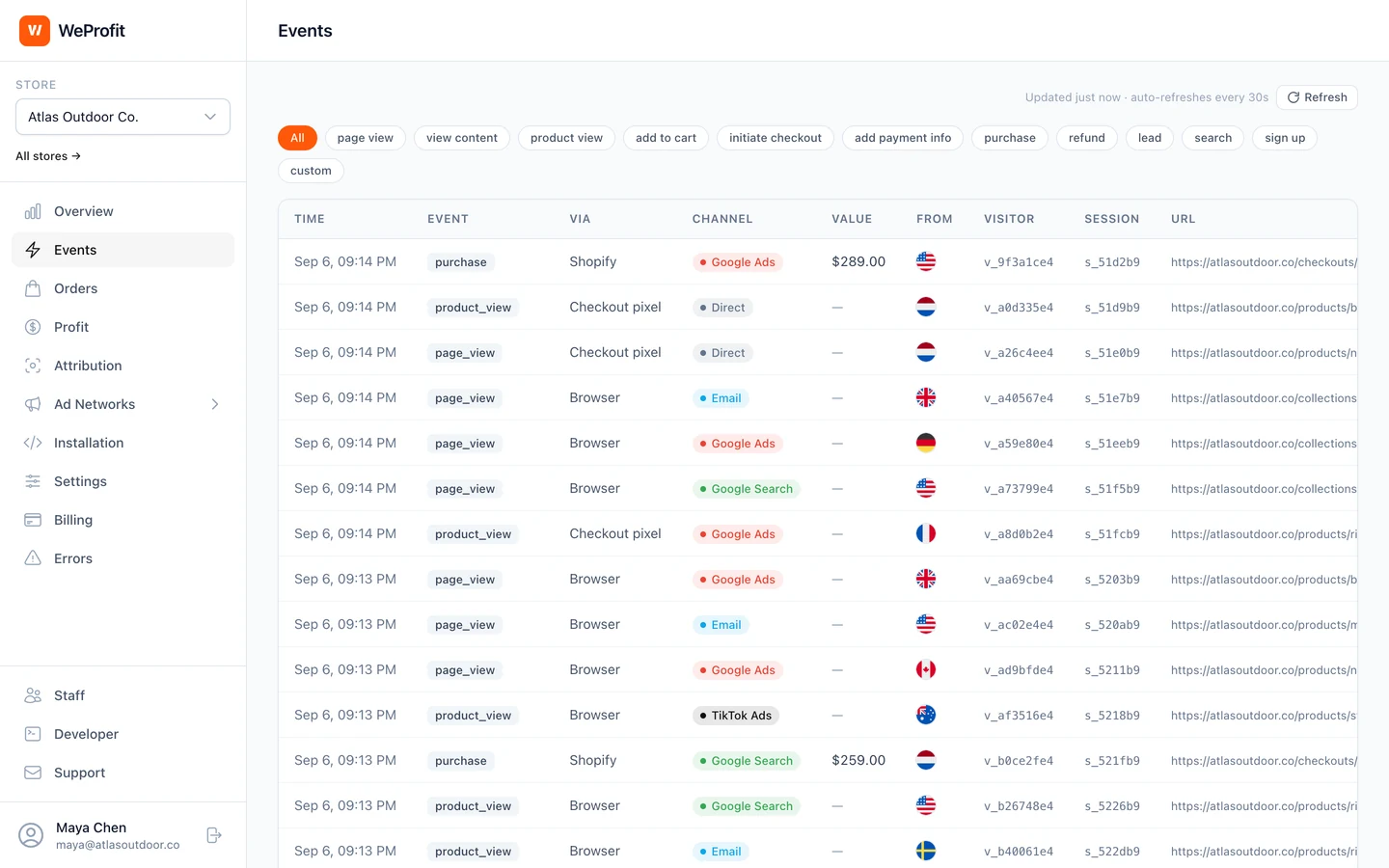
Connect store events with your Meta destination
Connect Shopify or an enabled WooCommerce store and complete its installation checks first. Meta collection and delivery are configured for the intended store and pixel.
- Open Ad Networks > Meta in WeProfit and select Add pixel. Enter the Meta Pixel ID and its CAPI access token. Use an optional label to distinguish pixels.
- Review the pixel’s conditions. Empty conditions send all eligible events; conditions can limit which events it receives. Save and enable the pixel.
- For a test, enter the code from Meta Test Events and select Send test. WeProfit sends a PageView and displays the acceptance result, error or trace ID when returned.
- Remove the test event code after testing so subsequent deliveries are processed normally. Check an ordinary visit or purchase next.
Validate a purchase from collection to destination
Open the CAPI delivery log after generating an event. Filter by pixel, event type or status. Review its event ID, attempt count, trace ID and any error. A failed or pending send needs a delivery investigation before an attribution comparison.
For a purchase, confirm the value, currency and intended pixel. Review Meta’s own Test Events and diagnostics too. API acceptance, deduplication and ad attribution are separate checks.
- Confirm you connected the intended pixel and store.
- Check the event name, purchase value, currency, and transaction identifiers.
- Inspect errors or pending deliveries before investigating attribution.
- Review Meta’s event diagnostics for additional destination-side feedback.
Coordinate browser pixels and server events
WeProfit uses the same transformation for the browser eventID and server event_id of a paired Meta event. Purchase identifiers derive from the store’s order ID and include a store-specific identifier for delivery. Retries reuse that event identifier.
This pairing covers WeProfit’s own signals. A native channel, plugin or manually installed pixel may produce a different identifier. List every purchase sender, compare its event name and identifier, and verify the destination’s deduplication behavior before treating the resulting count as one order.
| Record | Example |
|---|---|
| Internal order purchase event | pur_1001 |
| Browser event name | Purchase |
| Browser eventID | pur_a1b2c3d4-1001 |
| Server event name | Purchase |
| Server event_id | pur_a1b2c3d4-1001 |
Delivery and attribution are different outcomes
A delivered event is data sent to a destination. Whether Meta credits that purchase to an ad depends on its reporting configuration and available matching signals. A store order, a delivered purchase, and an attributed conversion can therefore have different totals.
WeProfit’s Meta connection is included in every plan. Use the trial to check your store’s event flow, then use attribution and profit reporting to understand what happens after the click.
Which store events can reach Meta?
Collection depends on your store platform and implementation. Refunds update order information in WeProfit; they are not forwarded as a standard Meta refund event. Additional search, lead and registration mappings depend on eligible source events.
| Store event | Meta event |
|---|---|
| Page view | PageView |
| Product or content view | ViewContent |
| Add to cart | AddToCart |
| Checkout started | InitiateCheckout |
| Payment information added | AddPaymentInfo |
| Purchase | Purchase |